

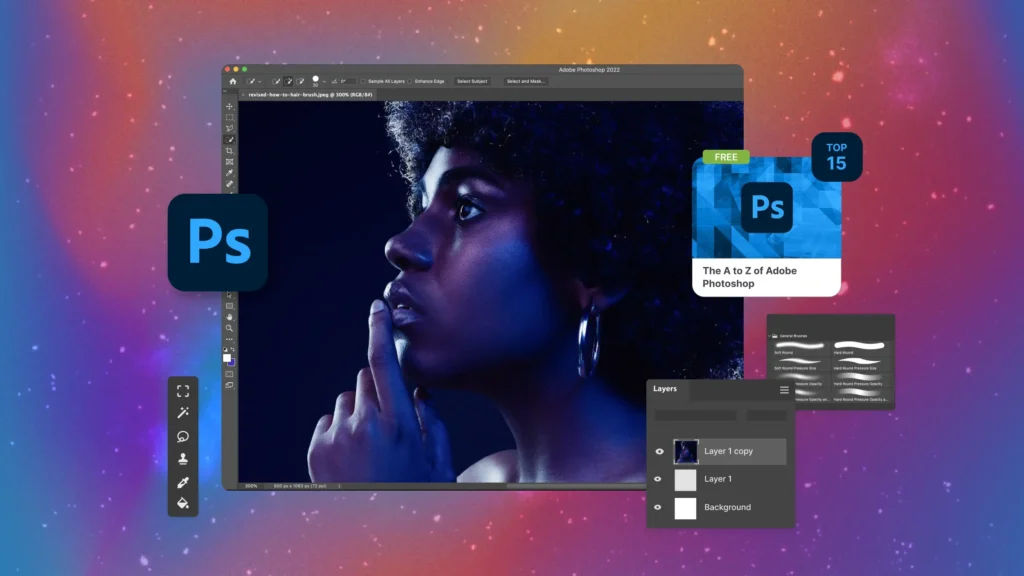
Photoshop is a powerful tool that allows people to create, edit, and enhance images in ways that were once impossible, making it an essential software for designers, photographers, and creative professionals. With Photoshop, you can manipulate colors, adjust lighting, remove imperfections, and even create entirely new designs from scratch. One of the reasons Photoshop stands out is its versatility, as it offers a wide range of tools like layers, masks, filters, and adjustment options. These features let users experiment and develop their creativity freely, whether for personal projects or professional assignments. By mastering Photoshop, anyone can transform simple images into compelling visual stories that communicate effectively to viewers, making it an indispensable part of digital creativity today.
Understanding Photoshop Interface and Tools
The Photoshop interface is designed to give users maximum control over their creative projects, combining accessibility with professional-grade options. On first opening Photoshop, the workspace might appear overwhelming due to the variety of panels, toolbars, and menus available, yet learning to navigate it becomes simpler with practice. Essential tools like the Move Tool, Brush Tool, Lasso Tool, and Crop Tool provide the foundation for editing, allowing precise adjustments and detailed manipulation of images. Additionally, Photoshop panels, such as Layers, Properties, and History, give users the ability to organize and monitor their work efficiently. By understanding the interface thoroughly, users can work faster, avoid confusion, and make the editing process smoother, which ultimately leads to higher-quality designs and greater creative satisfaction.
Working with Layers in Photoshop
Layers are one of the most important features of Photoshop, allowing users to separate different parts of an image and work on them independently without affecting the entire composition. Each layer can contain images, text, or adjustment elements, giving users the flexibility to experiment with changes without permanent consequences. Using layers effectively involves naming, grouping, and organizing them, which helps manage complex projects and maintain clarity throughout the editing process. Additionally, layer masks provide even more control by letting users hide or reveal parts of a layer selectively, which is essential for blending multiple images or creating intricate designs. Understanding and mastering layers ensures that Photoshop users can work efficiently, make precise edits, and fully unlock the software’s creative potential.
Photoshop Adjustment Tools for Perfect Images
Adjustment tools in Photoshop allow users to fine-tune the appearance of images by modifying brightness, contrast, color balance, and other visual aspects without permanently altering the original photo. Tools like Curves, Levels, Hue/Saturation, and Vibrance offer precise control over color tones and exposure, enabling photographers and designers to achieve the exact mood or style they want. For example, Curves allow detailed adjustments to shadows, midtones, and highlights, while Hue/Saturation can enhance or change colors dramatically. These tools, when combined with layers and masks, provide limitless possibilities for improving images and creating visually appealing results. Mastering Photoshop’s adjustment tools is crucial for anyone who wants to produce professional-quality images consistently and efficiently.
Advanced Photoshop Techniques
Photoshop offers a range of advanced techniques that allow users to go beyond basic editing and explore more creative possibilities, including retouching, compositing, and digital painting. Techniques like content-aware fill, smart objects, and blending modes give users the power to manipulate images in ways that are seamless and professional. Compositing allows multiple images to be combined into one cohesive design, while retouching can remove imperfections or enhance details to create polished results. Additionally, Photoshop supports vector shapes, text effects, and 3D manipulation, which opens up opportunities for designers to explore beyond traditional image editing. By learning and practicing these advanced techniques, users can elevate their work, push creative boundaries, and fully harness the potential of Photoshop for professional and personal projects.
Using Photoshop for Photo Retouching
Photo retouching is one of the most popular uses of Photoshop, allowing users to improve portraits, landscapes, and other images by removing imperfections and enhancing details. With tools like Spot Healing Brush, Clone Stamp, and Patch Tool, users can eliminate blemishes, scratches, or unwanted objects in photos, ensuring a clean and professional appearance. Retouching also includes color correction, skin smoothing, and enhancing textures, which help make images visually striking and polished. Furthermore, retouching in Photoshop involves careful attention to layers and non-destructive editing to preserve the original image while achieving desired results. Learning to retouch images effectively can dramatically improve visual quality, making Photoshop an essential tool for photographers, designers, and social media content creators.
Photoshop for Graphic Design
Beyond photo editing, Photoshop is a powerful platform for graphic design, enabling users to create posters, banners, social media graphics, logos, and more. The software’s versatile tools allow manipulation of text, shapes, and colors to craft visually appealing designs that convey messages effectively. Designers can experiment with layer styles, gradients, patterns, and brushes to add creativity and originality to their work. Photoshop also supports high-resolution images and vector-based elements, ensuring designs are crisp and professional. By combining creative vision with Photoshop’s capabilities, graphic designers can produce designs that stand out, attract attention, and communicate effectively with their target audience. Mastery of Photoshop ensures that creative projects are not limited by technical constraints.
Photoshop Brushes and Digital Painting
Photoshop provides extensive brush tools and customizable settings that allow users to engage in digital painting, illustration, and creative artwork. Brushes vary in texture, shape, and opacity, enabling artists to simulate traditional painting techniques or invent entirely new styles. The software also supports pressure-sensitive styluses, which makes it ideal for tablet use and more precise drawing. Additionally, layers, blending modes, and color adjustment tools enhance digital painting by giving full control over shading, highlights, and textures. By learning how to use Photoshop brushes effectively, artists can create professional-quality artwork, explore unique styles, and experiment with colors and techniques that would be difficult or impossible using traditional media alone.
Photoshop Filters and Effects
Filters and effects in Photoshop provide quick ways to enhance images, add creative touches, or produce dramatic transformations. Popular filters like Gaussian Blur, Sharpen, and Noise allow precise adjustments that can improve focus, texture, or atmosphere. Artistic filters simulate painting, sketching, or other visual styles, giving photos a distinctive appearance without requiring manual work. Layer effects, including drop shadows, glows, and bevels, add depth and dimension to designs, making them more visually engaging. By experimenting with filters and effects, users can transform ordinary images into visually striking compositions, while maintaining control over the editing process through layers and masks. Mastery of these tools encourages creative exploration and innovation in Photoshop projects.
Photoshop for Social Media Content
Photoshop is widely used to create eye-catching social media content, which is essential for personal branding, marketing, and online engagement. Users can design posts, stories, banners, and profile visuals tailored to different platforms, ensuring images are optimized for dimensions, colors, and style. With Photoshop, it is possible to combine images, add text, create overlays, and implement effects that grab attention in crowded feeds. Additionally, templates and presets streamline the design process, allowing creators to maintain consistent branding while producing content efficiently. Understanding how to use Photoshop for social media ensures that images not only look professional but also engage viewers and communicate messages effectively, making it a valuable tool for online presence.
Photoshop Typography and Text Effects
Typography is an essential aspect of design, and Photoshop offers a wide array of tools to create stunning text effects that enhance visual communication. Users can manipulate fonts, sizes, colors, spacing, and blending to craft text that complements images or stands out independently. Advanced options include layer styles, text masks, warping, and 3D text, which give designers creative freedom to experiment with visual storytelling. Text can be combined with shapes, patterns, and images to create compelling designs for posters, social media, or marketing materials. By mastering typography and text effects in Photoshop, users can ensure that their designs are not only visually appealing but also convey messages clearly and attractively, making text an integral part of creative projects.
Photoshop Masking and Selection Techniques
Masking and selection are fundamental techniques in Photoshop that allow precise control over which parts of an image are visible or editable. Selection tools like Marquee, Lasso, and Magic Wand help isolate areas, while masks allow non-destructive adjustments to hide or reveal parts of layers selectively. Advanced selection techniques, such as Select and Mask, refine edges and create smooth transitions between objects and backgrounds. These techniques are crucial for compositing, retouching, or creating complex designs with multiple elements. By mastering masking and selection, Photoshop users gain flexibility and precision, enabling them to execute detailed edits, blend images seamlessly, and maintain control over their creative projects without compromising quality or integrity.
Photoshop for Web Design
Web design in Photoshop involves creating layouts, banners, and graphics that are optimized for online use while maintaining high visual quality. Designers use Photoshop to plan website interfaces, design icons, and prepare images for responsive layouts across different devices. Tools like slices, guides, and export options help ensure images are optimized for speed and clarity without losing quality. Photoshop also supports mockups and prototypes, allowing designers to visualize websites before development. By integrating creative design with technical considerations, Photoshop provides a powerful platform for web designers to produce attractive, user-friendly, and functional web elements that enhance the overall user experience.
Photoshop for Product Photography
Product photography benefits greatly from Photoshop, as the software allows professionals to enhance images, remove imperfections, and present products attractively for marketing purposes. Adjustments to lighting, color correction, background removal, and retouching ensure products look appealing and true to life. Photoshop also enables creative enhancements, like adding shadows, reflections, or highlights, which make products stand out visually. These edits help brands maintain consistent aesthetics across catalogs, websites, and social media, improving engagement and customer perception. By mastering Photoshop for product photography, businesses and photographers can deliver professional-quality images that showcase products effectively, making the software an essential tool for commercial visual presentation.
Photoshop Automation and Actions
Photoshop provides automation features, such as Actions and batch processing, which streamline repetitive tasks and save time during editing. Actions allow users to record a sequence of steps and apply them to multiple images automatically, which is especially useful for workflows that require consistency and efficiency. Batch processing can resize, rename, or apply adjustments to numerous files simultaneously, reducing manual effort. Automation not only improves productivity but also ensures accuracy across large projects, making it ideal for professionals managing multiple images. Learning to use Photoshop’s automation features effectively allows users to focus on creative aspects while letting the software handle routine tasks efficiently, enhancing both workflow and productivity.
Photoshop for Creative Projects
Photoshop is not limited to professional work; it is also an excellent tool for personal creative projects, such as digital art, photo collages, scrapbooking, or custom gifts. The software’s versatility allows users to experiment freely with colors, textures, and effects without limitations. Creative projects in Photoshop can include mixed media, typography, and illustration, combining multiple artistic elements into one composition. By exploring these possibilities, users can develop their skills, express themselves visually, and enjoy the satisfaction of creating unique designs. Photoshop encourages experimentation and imagination, making it an ideal platform for artists, hobbyists, and learners to explore their creative potential in both structured and playful ways.
Photoshop for Marketing and Branding
Photoshop is essential in marketing and branding, as it allows businesses to create visually compelling materials that communicate brand identity effectively. Companies can design logos, advertisements, social media visuals, banners, and brochures that reflect their style and message. Photoshop tools help maintain consistency across campaigns, ensuring colors, fonts, and layouts align with brand guidelines. The ability to create eye-catching visuals increases engagement, improves perception, and enhances communication with target audiences. By mastering Photoshop for marketing and branding, professionals can deliver high-quality, professional designs that support business goals and make a lasting impression, demonstrating the software’s importance in both creative and commercial contexts.
Photoshop Tips and Best Practices
Using Photoshop effectively requires understanding not just the tools but also best practices for workflow, organization, and efficiency. Keeping layers organized, using non-destructive editing, and naming elements clearly help maintain clarity and flexibility. Regularly utilizing shortcuts and customizing workspaces can significantly improve speed and comfort. Additionally, experimenting with brushes, filters, and adjustment layers encourages creative growth while avoiding repetitive mistakes. Following these best practices ensures consistent results, reduces errors, and enhances overall productivity. Mastery of Photoshop is not just about technical skills but also about adopting effective habits that make the editing process smoother, more enjoyable, and more efficient for both professionals and hobbyists.
Photoshop Trends and Future Potential
Photoshop continues to evolve, incorporating AI-powered features, improved usability, and new creative tools that expand possibilities for users. Recent trends include AI-assisted editing, smart object enhancements, neural filters, and better integration with other Adobe software. These developments make Photoshop faster, more intuitive, and accessible to beginners while offering advanced capabilities for professionals. The future of Photoshop lies in combining technical innovation with creative freedom, allowing users to produce professional-quality designs more efficiently. By staying updated with new features and trends, users can harness the full potential of Photoshop, ensuring that it remains an essential tool for image editing, design, and creative expression in the digital age.
Conclusion
Photoshop is more than just software; it is a platform for creativity, innovation, and professional expression that empowers users to transform ideas into compelling visual content. Its vast range of tools, from layers and masks to brushes and filters, provides endless possibilities for photo editing, graphic design, digital art, and branding. Learning Photoshop opens doors to new opportunities, enhances creative skills, and allows for experimentation that leads to unique outcomes. By mastering Photoshop, individuals can improve workflow efficiency, produce professional-quality results, and explore imaginative projects without limitations. Embracing Photoshop fully enables users to communicate visually, engage audiences, and leave a lasting impression through high-quality and creative digital content.
FAQs About Photoshop
What is Photoshop used for?
Photoshop is used for photo editing, graphic design, digital art, and enhancing images creatively.
Can beginners learn Photoshop easily?
Yes, with practice and tutorials, beginners can learn Photoshop step by step and develop strong skills.
Does Photoshop support layers?
Yes, layers are a core feature in Photoshop for editing and organizing images independently.
Is Photoshop only for professionals?
No, Photoshop is for anyone, from hobbyists to professionals, as it offers tools for all skill levels.
Can Photoshop be used for social media content?
Absolutely, Photoshop is widely used to create engaging social media graphics, posts, and banners.
Read also: How to Solve 9632×97 Easily and Accurately